Background
Ever since my junior year, I’ve wanted to build a personal website and even gave it a shot back then. Before that, my only exposure to web tech was knowing Markdown is essentially a subset of HTML; I only used R Markdown to write reports and hand in assignments. Other than that, I knew absolutely nothing about web design.
That summer, I tried building my own site from scratch, but for various reasons, the project crashed and burnedYou know too much. Fast forward to recently—thanks to a few coincidences, I found myself with enough free time to spend 25 hours a day deep-diving into the web. Seeing the badass, mind-blowing sites built by seasoned developers, the urge to build my own resurfaced. So, I started looking into modern tech stacks.
From picking things up at work, I knew the market is flooded with low-code and no-code builders like WordPress, Wix, and Squarespace, which offer all-in-one building and deployment. They’re incredibly powerful and let you launch a beautiful, modern site without touching a line of code. But to me, that wasn't a long-term solution. Relying heavily on those platforms just felt like a cop-out because I didn't know frontend development. I wanted to actually learn frontend tech and use more flexible tools and frameworks to build something truly my own. It's like making a bowl of pork rib noodles. I could easily grab pre-cooked garlic ribs, veggies, and instant noodles from the supermarket for a quick meal. But my goal was to buy the raw meat, figure out the recipe, and craft a flavor that’s entirely my own from scratch.
So, where to start? After some digging, I looked into modern JS/TS frameworks like React and Vue. They modularize code into reusable components, making development, design, and maintenance a breeze while unlocking endless customization. I ultimately chose NextJs, a React-based framework. For static sites, it pre-renders pages at build time and generates static HTML files that can be deployed directly to any static file server, drastically boosting performance and security. Next.js delivers a modern single-page app user experience while optimizing SEO and performance out of the box—making it an incredibly flexible and powerful choice.
Tech Stack
Typescript
Incredibly convenient, great out of the box.
NextJs
Note: At the time of writing, this site runs on Next.js v18.17 and utilizes App Router features Official Docs
Key takeaways:
- The
appdirectory is the root. Each page is defined by apage.tsxfile inside its respective subdirectory. - You can use multiple
<Layout>components across different pages, but a root global<Layout>is required. See this thread - Components under the
appdirectory default to Server Components, but adding'use client'shifts them to Client Components.
CSS
Next.js doesn't ship with a built-in CSS framework, so I had to choose one. I didn't know much about CSS, but my baseline requirements were:
- Solid responsive design support out of the box.
- Utility-first or pure CSS that doesn't mess with React's state logic.
- Fast to write with extensive documentation.
Based on these criteria, I went with TailwindCSS. Its clean design and straightforward logic hooked me the second I landed on their homepage. It's lightweight, handles responsiveness seamlessly, and has an incredible amount of documentation and community support.
Markup
Looking through the Next.js official examples, I noticed most blogs use MDX. A bit of research revealed that MDX is essentially Markdown with JSX superpowers, meaning you can drop custom interactive components right into your markdown files, for example:
<span>
 content
</span>
API
Right now, I’m using the video player API from Cloudinary. As an incredibly robust CMS, Cloudinary offers some absolutely insane image and video processing features. Coming from using GitHub Pages as a makeshift CMS, checking out Cloudinary for the first time had me thinking, "Whoa, that is wild". The catch is that its powerful features come at a price, and the premium tiers are pretty steep.
Building the Site
Components
I started by mapping out my ideas in a mind map—deciding what pages I needed and what features went into each. This kept me grounded during development so I wouldn't drop everything to build a random new page on a whim.
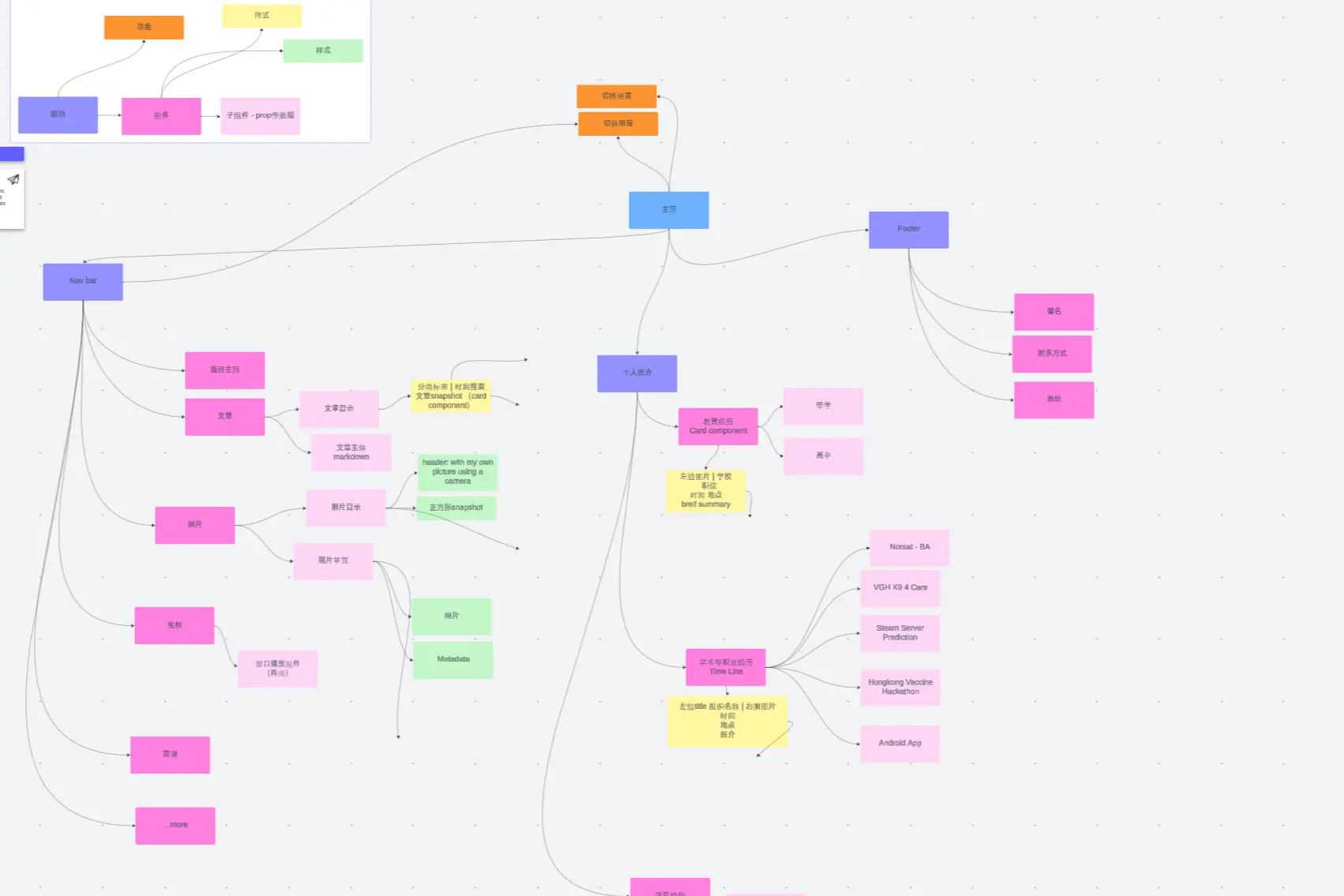
Next, I built core components like <Header> and <Footer> and wrapped them into a global <Layout> used across all pages.
From there, it was just a matter of executing the plan laid out in the mind map.
Pages
Right now, the site features Home, About, Blog, Photos, and Videos pages. Just taking it one page at a time. A couple of neat details:
- For rendering MDX in blog posts,
\blog\utils.tsadopts the a pproach used in Next.js's official blog template. - Images are rendered using Next.js's built-in
<Image>component. Compared to native HTML<img>tags,<Image>handles automatic optimization like lazy loading, custom loaders, and sizing out of the box.
Image Hosting
To get the site live quickly, I went with the easiest free image hosting workaround: spinning up a separate GitHub repository as an image bed, uploading assets via tools like picx and routing them through jsDelivr as a CDN. Picx is an image hosting tool powered by the GitHub API. It has a super straightforward setup tutorial and is highly, highly recommended.
Long term, I plan to migrate my assets to something like Amazon S3 for a more professional and practical setup.
Design
I brought my personal aesthetic to life using Tailwind CSS.
For example, since most modern devices support dark and light modes, I wanted my site to adapt automatically. Tailwind’s dark: modifier makes this incredibly easy—I can style the entire dark mode experience just by prefixing utilities with dark:.
I also have to give a shoutout to ChatGPT. Whenever I have a conceptual idea but don't know the exact syntax or implementation steps, leveraging AI is infinitely faster than digging through technical docs from scratch.
For instance, I wanted to build a mobile navigation menu that collapses automatically.
Lacking experience, I didn't know where to start beyond knowing I'd need client mode and useState.
I asked ChatGPT, got a step-by-step breakdown, and even though the generated code didn't perfectly match my final implementation,
it pointed me in the right direction and saved me hours of troubleshooting.
Future Work
Optimization
Next.js handles a lot of optimization out of the box—like the <Image> component mentioned earlier,
or the <Link> component which preloads internal pages so transitions feel instant.
That said, there's still plenty of room for manual fine-tuning, especially with assets.
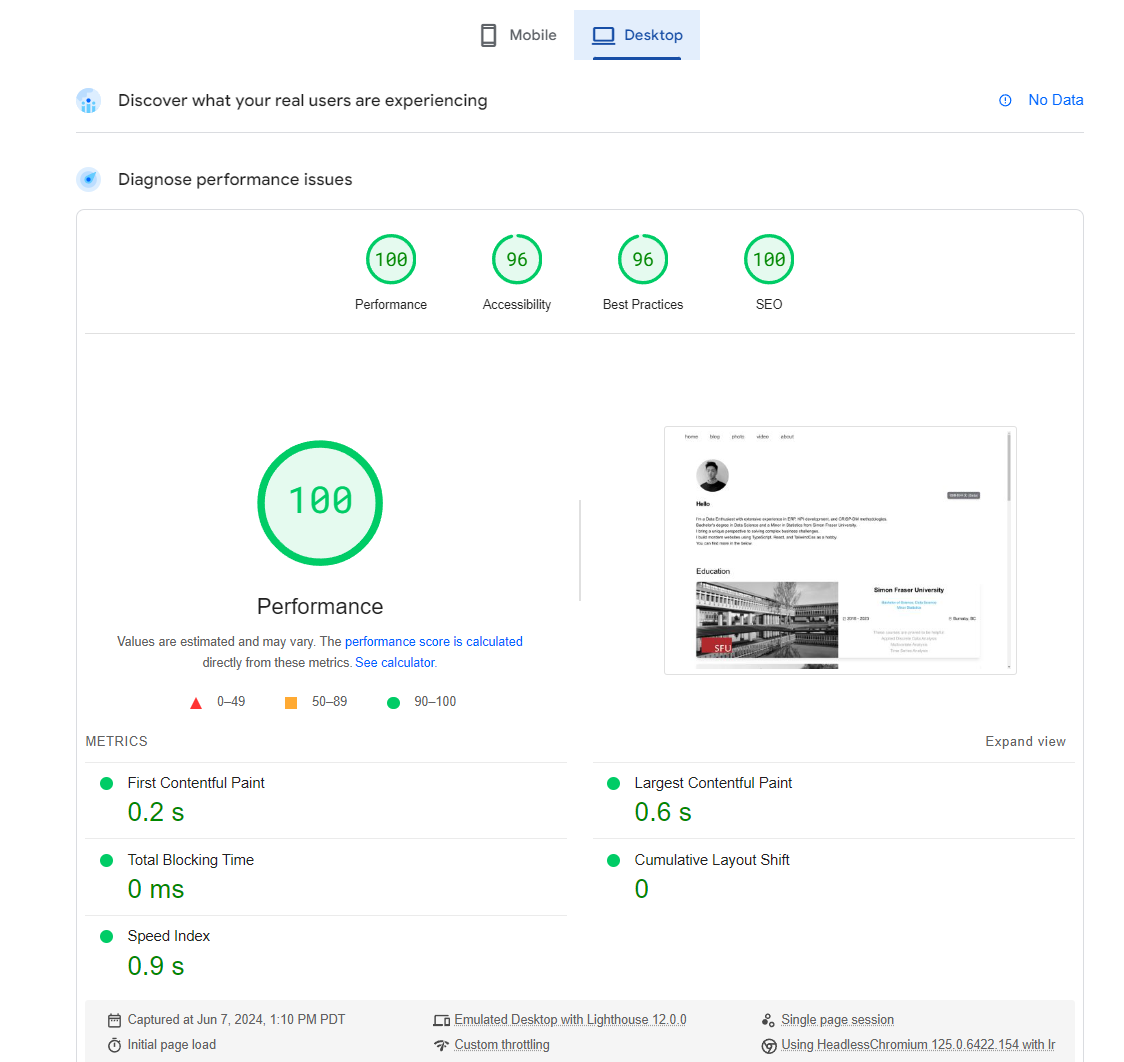
Before optimizing, I brushed up on Google Lighthouse's Web Vitals:
- First Contentful Paint (FCP): How fast the first text or image appears on screen.
- Largest Contentful Paint (LCP): How long it takes for the main content block or largest image to render.
- Largest Contentful Paint (LCP): When the page becomes fully responsive to user input.
- Total Blocking Time (TBT): The total amount of time between FCP and TTI where tasks take longer than 50ms, blocking the main thread.
- Cumulative Layout Shift (CLS): Visual stability. If elements shift around during loading, it breaks the user experience. A low CLS means a stable, pleasant layout.
Since Next.js handles the initial React render server-side, my primary focus is optimizing FCP and LCP.
The current bottleneck is that images are passed to the <Image> component via remote URLs. I
'm looking for a way to enable getStaticProps - like behavior for remote sources (WIP).
Switching CMS
While GitHub Pages works fine for now, I plan to migrate the CMS to AWS services down the road to make the architecture more professional and learn the AWS ecosystem.